| Architecture Layout |
Use to show hierarchical relationships that build from the bottom up. This layout works well for showing architectural components or objects that build on other objects. |

|
| Circle Picture Hierarchy |
Use to show hierarchical information or reporting relationships in an organization. Pictures appear in circles and corresponding text appears next to the pictures. |

|
| Half Circle Organization Chart |
Use to show hierarchical information or reporting relationships in an organization. The assistant shapes and Org Chart hanging layouts are available with this layout. |

|
| Hierarchy |
Use to show hierarchical relationships progressing from top to bottom. |

|
| Hierarchy List |
Use to show hierarchical relationships progressing across groups. Can also be used to group or list information. |

|
| Horizontal Hierarchy |
Use to show hierarchical relationships progressing horizontally. Works well for decision trees. |

|
| Horizontal Labeled Hierarchy |
Use to show hierarchical relationships progressing horizontally and grouped hierarchically. Emphasizes heading or level 1 text. The first line of Level 1 text appears in the shape at the beginning of the hierarchy, and the second and all subsequent lines of Level 1 text appear at the top of the tall rectangles. |

|
| Horizontal Multi-Level Hierarchy |
Use to show large amounts of hierarchical information progressing horizontally. The top of the hierarchy is displayed vertically. This layout supports many levels in the hierarchy. |

|
| Horizontal Organization Chart |
Use to show hierarchical information horizontally or reporting relationships in an organization. The assistant shape and the Org Chart hanging layouts are available with this layout. |

|
| Labeled Hierarchy |
Use to show hierarchical relationships progressing from top to bottom and grouped hierarchically. Emphasizes heading or level 1 text. The first line of Level 1 text appears in the shape at the beginning of the hierarchy, and all subsequent lines of Level 1 text appear to the left of the tall rectangles. |

|
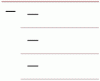
| Lined List |
Use to show large amounts of text divided into categories and subcategories. Works well with multiple levels of text. Text at the same level is separated by lines. |
|
| Name and Title Organization Chart |
Use to show hierarchical information or reporting relationships in an organization. To enter text in the title box, type directly in the smaller rectangular shape. The assistant shape and Org Chart hanging layouts are available with this layout. |

|
| Organization Chart |
Use to show hierarchical information or reporting relationships in an organization. The assistant shape and the Org Chart hanging layouts are available with this layout. |

|
| Picture Organization Chart |
Use to show hierarchical information or reporting relationships in an organization, with corresponding pictures. The assistant shape and the Org Chart hanging layouts are available with this layout. |

|
| Table Hierarchy |
Use to show groups of information built from top to bottom, and the hierarchies within each group. This layout does not contain connecting lines. |

|
